OLEDTextFix Targets OLED Text Fringing, but Hands-On Test Shows Uneven Results
A free, open-source Windows utility is attempting to reduce colored fringes around text on QD-OLED and WOLED monitors through GPU processing. OLEDTextFix's developer reports substantial improvements in simulations, while an independent test by heise online found that the visible benefit varied between displays and was interrupted by movement on screen.
 Layla Haddad
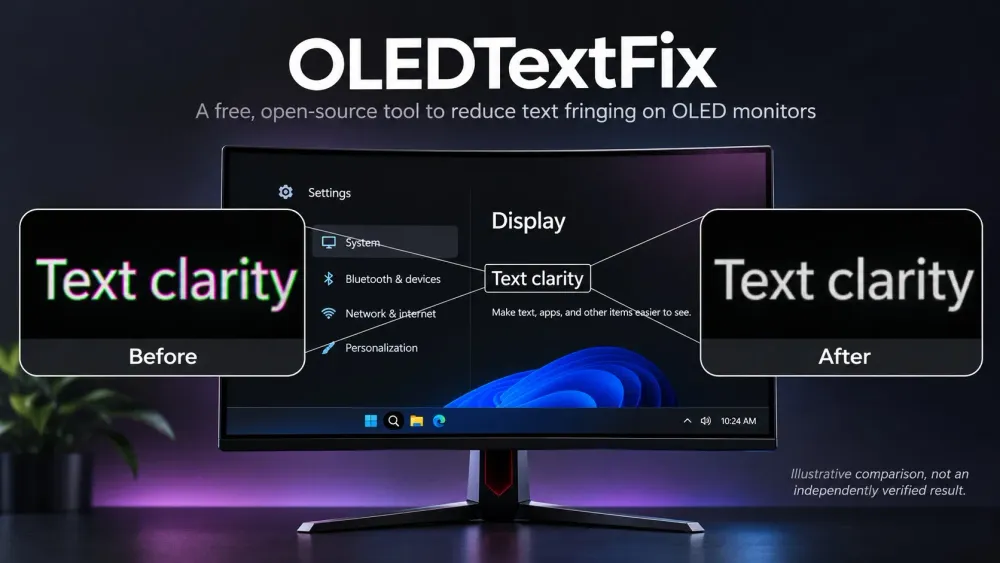
What testing showed
In its November 23, 2026, hands-on report, heise online described the change on the Dell S3225QC, a 4K QD-OLED monitor, as very slight. The reviewer attributed the small difference to the panel's higher pixel density. Text correction was easier to see on the 27-inch Acer Predator X27U W3 with its WQHD display.
Neither display lost all of its artifacts: fringes along vertical lines persisted or pulsed in a repeating cycle. The correction also needed a still image to take effect. Moving the mouse was enough to bring the fringes back, and they remained until the pointer had stopped for a moment.
A desktop overlay rather than a font-rendering change
The problem OLEDTextFix addresses comes partly from a mismatch between ClearType and OLED subpixel layouts. Microsoft's text-rendering technology was built for the conventional RGB stripes used in LCDs. Traditional Samsung Display QD-OLED panels instead arrange RGB subpixels in triangles, which can create green and magenta edges around letters. LG Display's WOLED panels commonly use RWBG or RGWB arrangements, presenting different rendering challenges.
OLEDTextFix leaves the Windows font-rendering engine alone. It uses DXGI Desktop Duplication to capture the desktop, resamples each RGB channel to account for the physical subpixel positions, and displays the result in a GPU-rendered overlay that lets input pass through. The approach can reach virtually any desktop application without changes to the application's rendering, Windows registry or graphics drivers.
There are exceptions to that coverage. According to the project documentation, the Start menu, taskbar and notifications can appear above the overlay and therefore remain uncorrected; heise online also observed this limitation. The overlay is deliberately omitted from screenshots and screen recordings, so ordinary captures show the original image rather than the correction.
Simulation gains depend on the filter and text
The project's numerical claims come from image-processing simulations, not independent measurements of physical monitors. For a simulated 27-inch 1440p QD-OLED at full correction strength on a dark background, the documentation reports different balances between fringing reduction and sharpness across three filters.
The default Sharp filter, which uses Catmull-Rom interpolation, reduced fringing by 58% while increasing sharpness by 54%. Balanced produced a 67% reduction with a 21% sharpness increase. Smooth reduced fringing by 71% without changing sharpness. Against a light background, the three filters delivered similar fringing reductions of 17–18%.
The WOLED results were more limited. The documentation says those presets were derived from measurements of RTINGS macro photos covering 13 monitors and had not yet been tested on a real panel. Simulated grayscale text showed an average fringing reduction of about 28–30%, but ClearType text showed almost no improvement: simulated color error declined by only 2–10%. The project attributes that difference to ClearType itself producing most of the color visible around ClearType text on WOLED.
Latency, power use and experimental HDR
The overlay comes with a timing cost. The developer says the corrected desktop can trail the original by roughly one frame, or about 4 milliseconds at 240 Hz. An optional motion-bypass setting attempts to avoid that delay in moving regions of the screen. These compromises make the utility better suited to desktop productivity than latency-sensitive gaming; it also offers an option to pause processing during fullscreen gaming.
Power measurements need to be read in context. In the original Reddit discussion, the developer reported approximately 40–50 W of GPU power draw on a Radeon RX 6900 XT while OLEDTextFix was running. That was not a measurement of the application's standalone power consumption.
In its November 23 test, heise online measured the entire system rather than just the GPU. Its PC, equipped with a Ryzen 5 5600G and integrated graphics, consumed about 23 W while idle with OLEDTextFix off. Enabling correction brought the reading to 25–32 W. Moving the pointer across the screen or dragging a window raised system power to 56 W.
HDR was unsupported initially, drawing criticism from OLED users who prefer to keep it enabled. The developer subsequently added experimental HDR processing and Windows Auto Color Management support. HDR correction is still off by default and has not undergone extensive validation.
Which monitors need correction
The utility is not intended for OLED panels that already have a conventional RGB-stripe layout, including Samsung Display's fifth-generation V-Stripe QD-OLED panels. Its documentation provides an "RGB stripe — no correction" preset and identifies the ASUS PG34WCDN, MSI MPG 341CQR X36, and ASUS PG27UCWM / PG32UCWM as examples where ordinary ClearType works well without correction.
That distinction does not apply to every newer QD-OLED. According to PanelPicks, in a report updated October 24, 2026, Samsung Display began mass supply of V-Stripe panels in December 2025 and announced a 34-inch, 21:9 ultrawide at CES 2026, with a 3440x1440 resolution and 360 Hz refresh rate. As of mid-2026, it was the only announced V-Stripe QD-OLED panel.
Samsung Display's refreshed 27-inch 1440p panel adopted Penta Tandem emitter technology and a 320 Hz refresh rate but retained the older triangular subpixel arrangement, PanelPicks reported.
Requirements and update safeguards
OLEDTextFix requires a DirectX 11-compatible GPU and either Windows 10 version 2004 or later, or Windows 11. It includes automatic monitor preset selection and adjustable performance settings. Source code and Windows builds are available from the project's official GitHub repository under the MIT license.
For affected monitors, it offers an experimental alternative to ClearType adjustments and utilities such as MacType, rather than a universally effective fix. Users can immediately toggle the effect off with Ctrl+Alt+F.
By default, OLEDTextFix checks GitHub daily for a new release. It downloads the replacement executable and its SHA-256 hash over HTTPS, then checks the hash before replacing itself. The documentation cautions that both files come from the same release: the check can detect a corrupted download, but it does not protect against a compromised release.